
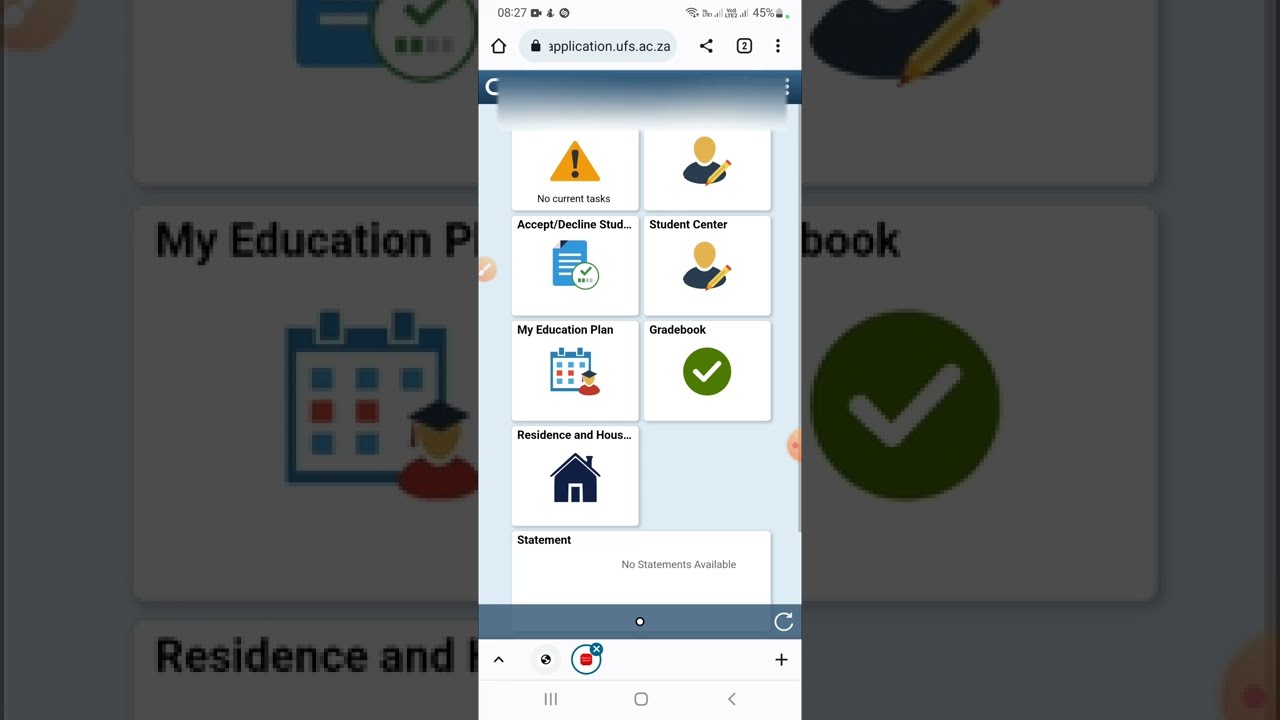
If you have applied to the University of the Free State (UFS), you can check your application status online to see whether your application has been received, is being processed, requires additional documents or has resulted in an admission offer.
Checking your status regularly can help you avoid missing important admission instructions or deadlines.
Why Check Your UFS Application Status?
Your UFS application status can provide important information about your admission application.
It may show that:
- Your application has been received.
- Your application is being processed.
- Documents are outstanding.
- You have received an admission offer.
- Further action is required.
- Your application was unsuccessful.
UFS provides applicants with an acknowledgement letter and student number after an application has been submitted. Applicants can then use the UFS online system to track their application.
How to Check Your UFS Application Status Online
Follow these steps to check your University of the Free State application status:
- Visit the official UFS application self-service portal.
- Log in using your student number or required identification details.
- Enter your password or login details provided after applying.
- Open your application profile.
- View your current application status.
- Read any messages or instructions displayed.
- Submit any outstanding documents if requested.
Official UFS Application Status Portal
You can access the UFS application system here:
UFS Application Self-Service Portal
Always use the official UFS website or portal when checking your application status. Avoid entering your personal information on unofficial application-status websites.
What Do You Need to Check Your UFS Status?
Before logging in, have the following information available:
- Student number
- ID number or passport number
- Password or temporary login details
- Email address used during your application
- Cellphone number used during your application
If you have forgotten your student number, check the acknowledgement email or SMS sent to you after submitting your application.
What Do UFS Application Statuses Mean?
Your application status can change as UFS processes your application.
Application Received
This generally means UFS has received your application.
Application in Process
Your application is still being considered or processed.
Outstanding Documents
You may need to submit additional documents before your application can be processed further.
Conditional Offer
You may have been offered admission subject to meeting certain final requirements.
Firm Offer
This indicates that an official admission offer has been made. Read the offer carefully and follow the instructions provided on your profile.
Unsuccessful
Your application has not been successful for the programme concerned.
Waiting List
Your application may still be under consideration, depending on programme availability and admission decisions.
Important: The exact meaning of a status can depend on your programme and stage of the application process. Always read the full message displayed on your UFS profile.
Fresh listings:






What If Your Documents Are Outstanding?
If UFS indicates that documents are missing, submit them as soon as possible.
Depending on your circumstances, documents may include:
- Certified ID or passport
- Grade 11 results
- Grade 12 results
- Matric certificate
- Academic record
- Proof of payment, where applicable
- Relevant international qualification documents
Make sure uploaded documents are clear, complete and readable.
What to Do If UFS Gives You an Offer
If an admission offer appears on your profile, carefully read the offer and follow the instructions provided.
You may need to:
- Accept the offer online.
- Read the offer letter.
- Submit outstanding documents.
- Check registration information.
- Monitor your email and SMS messages.
- Prepare for registration.
UFS applicants should not ignore an admission offer because further action may be required within a specified period.
What If You Cannot Log In?
If you are unable to access your UFS application profile, first check that you are using the correct login details.
You should also check:
- Your student number.
- Your password.
- The email address used during application.
- Whether you received your temporary login details.
- Whether you are using the correct UFS portal.
If you still need assistance, UFS Student Contact Services can be contacted via:
WhatsApp/Chat: +27 87 240 6370
Telephone: +27 51 401 9111
Option: Press 1 for assistance.
Does “Application in Process” Mean You Have Been Accepted?
No.
An application being processed does not mean that you have been accepted.
Likewise, a conditional offer may still have conditions that you need to meet before your admission is confirmed.
Applicants should wait for official communication from UFS and carefully follow the instructions provided through the university’s official channels.
Common Mistakes to Avoid
When checking your UFS application status, avoid:
- Using unofficial application-status websites.
- Entering incorrect login details.
- Ignoring UFS emails and SMS messages.
- Failing to submit outstanding documents.
- Uploading unclear documents.
- Assuming “in process” means rejection or acceptance.
- Missing an offer response deadline.
- Waiting too long to contact UFS when experiencing problems.
How Often Should You Check Your UFS Application Status?
It is a good idea to check your application profile regularly, particularly during periods when admission decisions are being released.
Also monitor the email address and cellphone number you used when applying because UFS may send important admission-related communication through these channels.
Conclusion
Checking your University of the Free State application status online allows you to stay informed about your admission progress and respond quickly when UFS requests additional information or makes an offer.
Use the official UFS application portal, keep your login details safe and regularly check your profile, email and SMS messages. If you receive an offer, carefully follow the instructions provided by UFS and respond within the required timeframe.